Microsoft InfoPath Migration
14 July 2026 - InfoPath Forms Services cutoffMicrosoft InfoPath
Assessment & Extraction Tool
Scan, extract, and rebuild. From InfoPath to a modern platform - before Microsoft pulls the plug.
Whether your InfoPath estate is a folder of .xsn templates on a file share or hundreds of forms published across SharePoint Online libraries, the tool handles all three steps at industrial quality. Inventory every template across your tenant. Extract submissions, attachments, rules, workflows and design elements in portable form. Let AI generate the modern replacement - SharePoint list, Power App, custom web app, or Copilot Studio agent - with data already migrated.
See the full Assess - Extract - AI Migrate cycle in 2 minutes:
The Challenge
InfoPath is a ticking clock
Hard Deadline
Microsoft retires InfoPath Forms Services on 14 July 2026. After that date, browser-rendered InfoPath forms in SharePoint Online stop working. You can't kick this can any further down the road.
Expertise Gone
InfoPath Designer was discontinued in 2014. The teams who built these forms have moved on or retired. Each month of delay means more institutional knowledge lost, and more forms whose business logic only lives in someone's head.
Manual Migration Doesn't Scale
Rebuilding forms one-by-one in Power Apps, SharePoint Lists, or modern web stacks is slow, error-prone, and expensive. Average effort per non-trivial form: 30–80 hours. Multiply by the size of your estate.
Years of Submissions
The forms aren't the problem - the data is. Years of submissions sitting in SharePoint libraries, attachments, audit history, workflow state. None of it is going to migrate itself, and most of it won't survive a sloppy export.
Three Paths, One Tool
Not every form should be rebuilt
Some forms haven't been used in years and just need their submissions archived. Some are simple enough to lift onto a SharePoint list. Only a few have real business logic worth rebuilding. The hard part is knowing which is which - and that decision usually sits inside the head of whoever built the form a decade ago. The Assessment & Extraction Tool classifies every template in minutes, so you spend your migration budget where it actually matters.
All three paths run on the same extraction engine underneath. Same fidelity, same tooling, different downstream treatment.
Archive
For templates whose forms are no longer actively submitted but whose data must survive. Compliance retention, audit trail, regulator handover. Submissions, attachment URLs, and workflow history are extracted to a queryable SQLite archive - no rebuild needed.
Typical signals: no submissions in the last 12 months, stale workflow associations, no active publish history.
Lift
For templates with simple structure but ongoing use. Flat schema, a couple of views, light validation rules, no code-behind. These map naturally to SharePoint Lists, Power Apps canvas, or a Lists Designer-style replacement - fast, lightweight, no over-engineering.
Typical signals: small T-shirt size, fewer than ~30 fields, no managed code, minimal repeating sections, single deployment.
Rebuild
For forms with real business logic that need to keep working. Code-behind, complex rules, web-service data connections, workflow integrations, multi-view orchestration - the kind of form where "just export the data" would lose 80% of what makes it useful. AI rebuilds the full application on the platform of your choice, data included.
Typical signals: managed code-behind, multiple data connections, dozens of rules, repeating sections, multi-deployment footprint.
Overview
Know Your InfoPath Estate
Before you can modernize, you need to understand what you have - and then get the data out cleanly. The Microsoft InfoPath Assessment & Extraction Tool gives you complete visibility into your form portfolio, extracts the submissions that matter, and then uses AI to generate a fully functional replacement on your platform of choice.
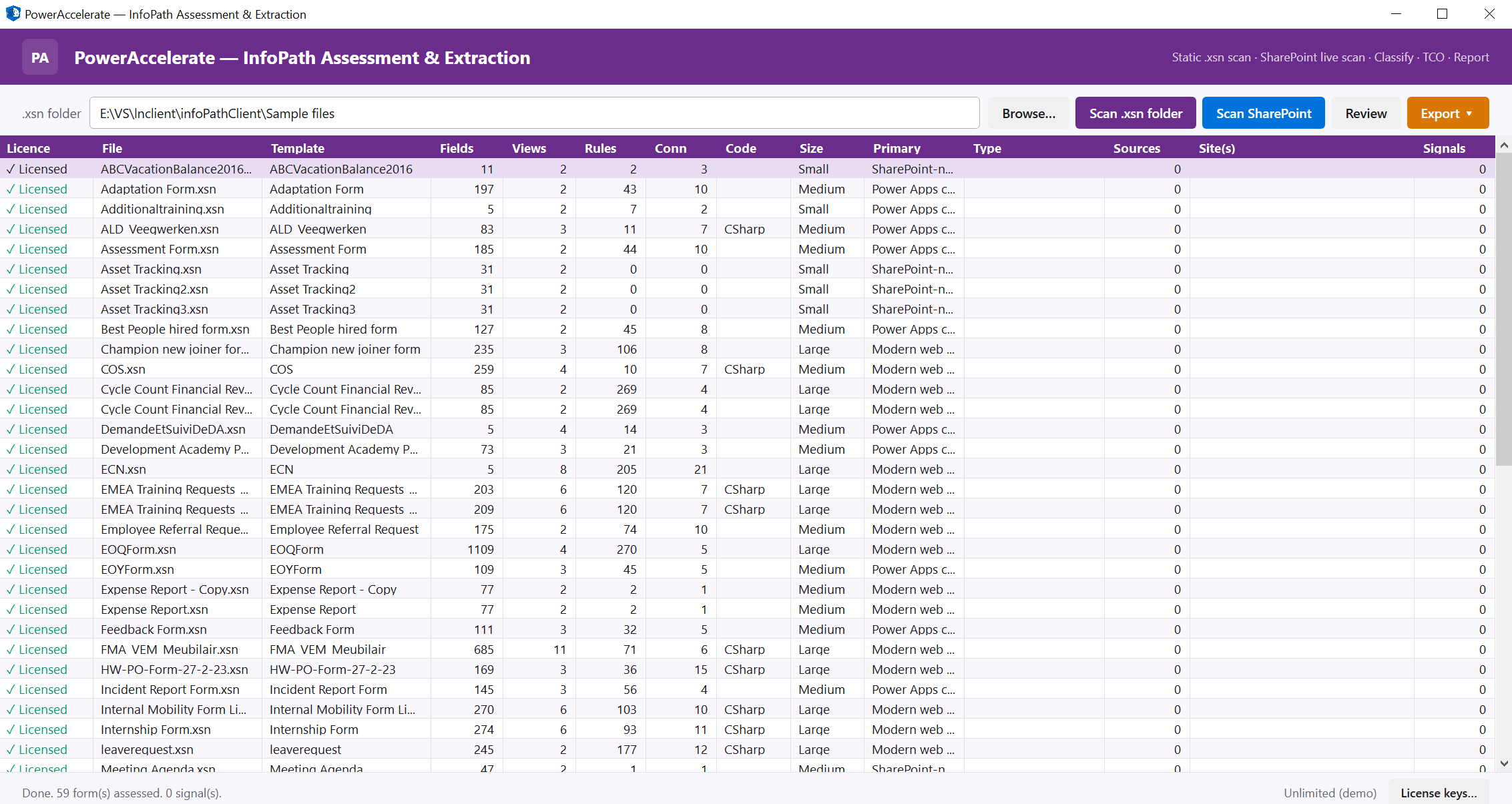
Main assessment view - full template inventory with T-shirt sizing, signal detection, and per-template licence state
Dual-Mode Discovery
Two scan modes that share one engine: point at a folder of .xsn templates for an air-gapped static scan, or sign into SharePoint Online for a tenant-wide live scan that auto-downloads every published template and links it to its deployments.
Deep Design Analysis
Beyond surface metadata. The tool inspects fields, repeating groups, views, rules, data connections, code-behind, security context, workflow associations, and submission counts - giving you a true picture of complexity per template before migration planning.
Professional Reports
Stakeholder-ready reports in HTML, Excel and JSON. Every scan result is structured for immediate use in migration planning, governance reviews, executive briefings - or as the canonical input to the AI rebuild step.
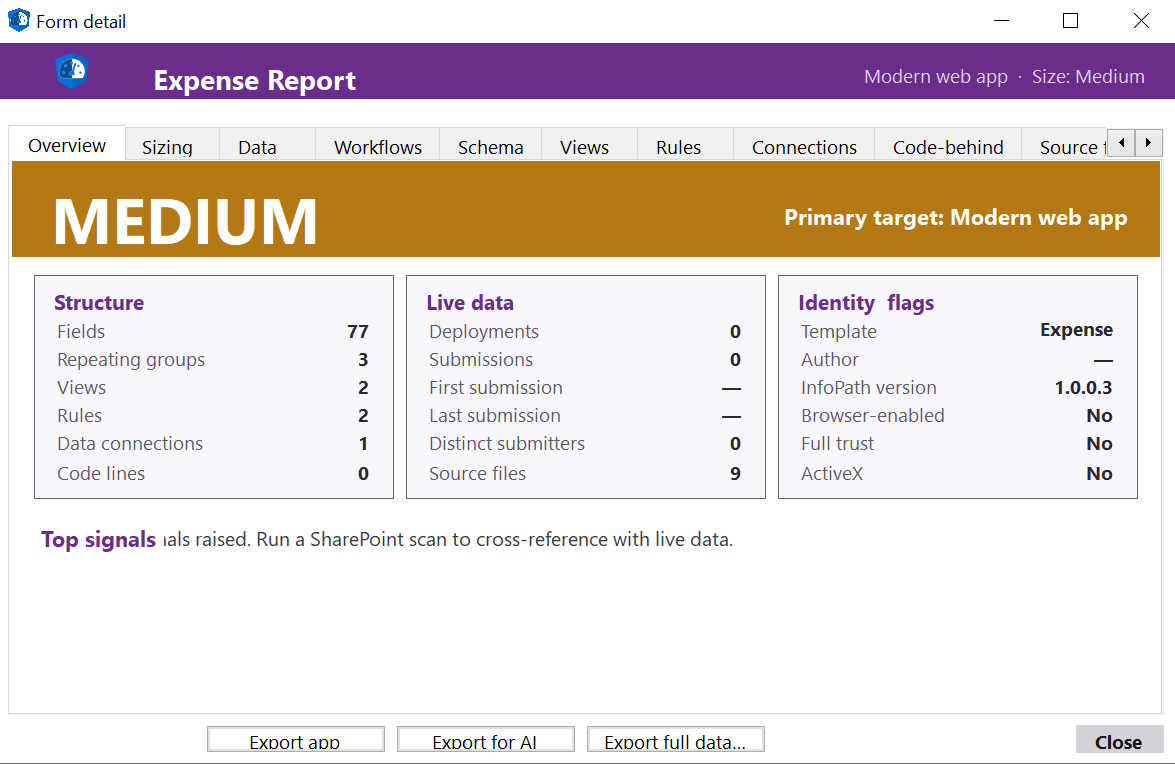
Drill into any template - T-shirt size, primary target recommendation, structure counts, live-data signals, and identity flags at a glance
How It Works
Four Steps to Full Visibility
From sign-in to report, the entire workflow is designed to be fast, safe, and non-invasive.
Connect
Pick a local folder of .xsn templates, or sign in to SharePoint Online with delegated permissions. No agents, no service accounts, no on-prem dependencies.
Discover
The tool walks every form library and list across selected site collections. Each template is downloaded once, fingerprinted by URN, and linked to all the places it's deployed.
Scan
Each .xsn is parsed: fields, views, rules, connections, code-behind, security level, workflow associations. Read-only - nothing is modified on the source.
Report
Generate HTML, Excel and JSON reports with T-shirt sizing, fusion signals, target-platform recommendations, and a per-template migration plan.
Deep Scan
Five Dimensions of Analysis
Each template is analysed across five critical dimensions. Deep Scan reveals the true structure and complexity of every InfoPath form - exactly what AI rebuild needs as input.
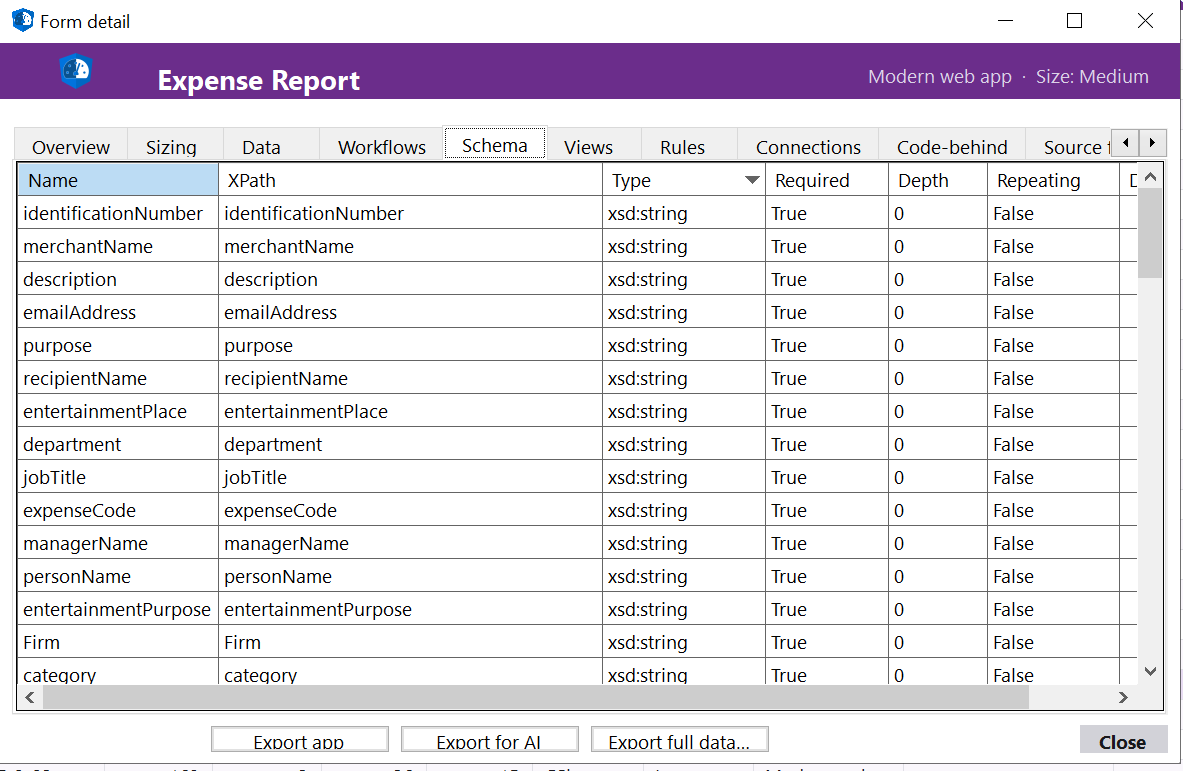
Fields & Schema - full XSD-derived field tree
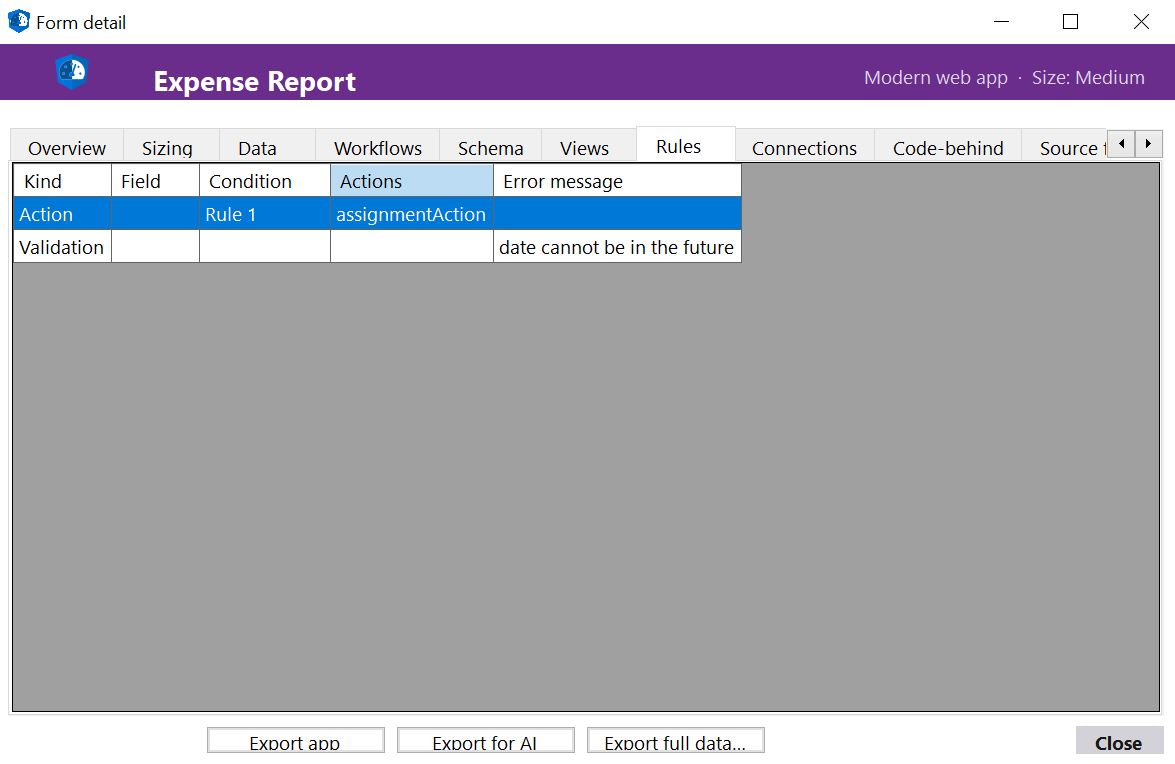
Rules & Logic - validation, formatting, actions
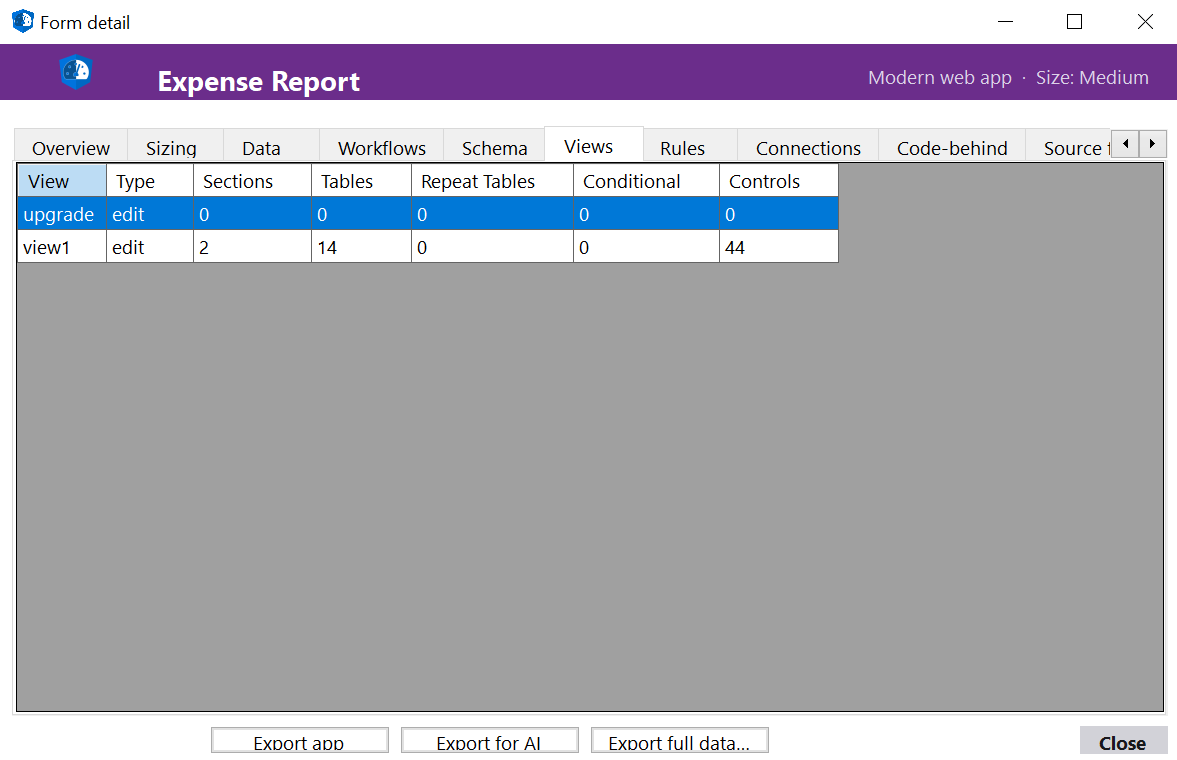
Views - view layouts and field bindings
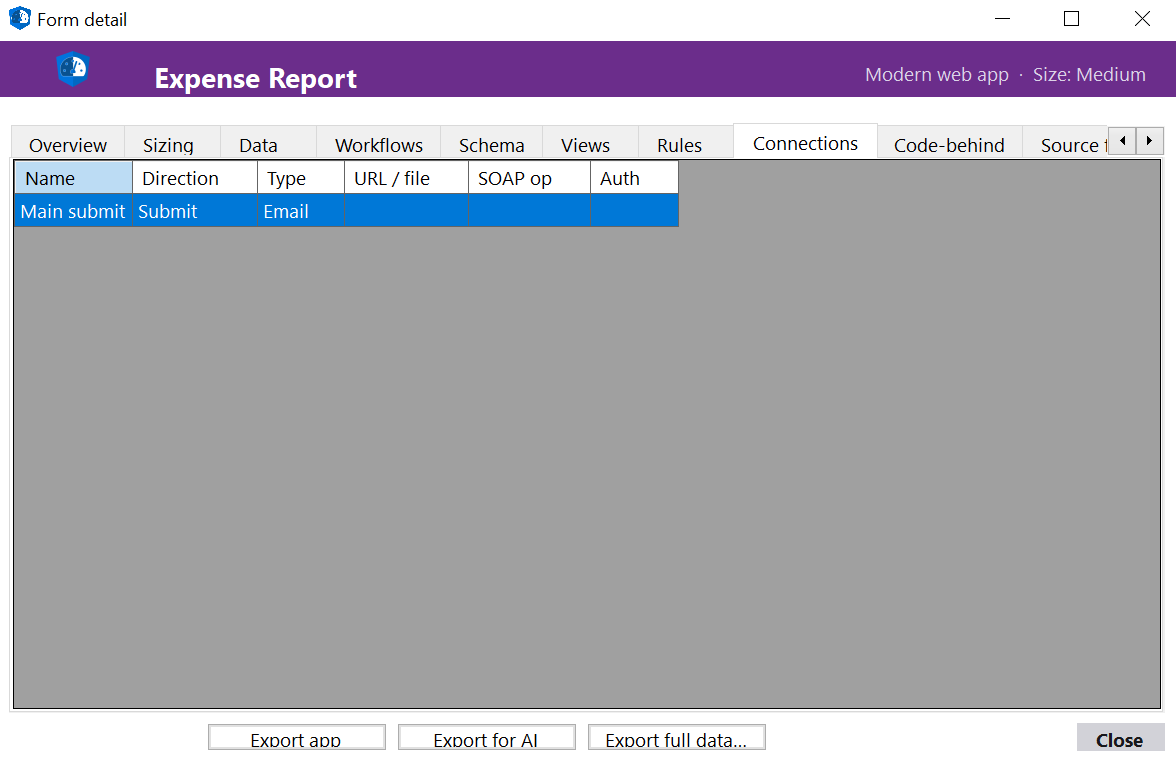
Connections - data sources and code-behind
Fields & Schema
Every field, repeating group, and computed binding extracted from the XSD. Field names, types, default values, max-length constraints - the foundation for mapping to a target data model.
Views
All views and their field bindings, rendered control types, conditional visibility rules, and print layouts. Critical for reconstructing data presentation in the target platform.
Rules & Logic
Validation rules, conditional formatting, action rules, button-triggered behaviours. Each rule is parsed into a structured tree the AI rebuild step can translate to native target-platform logic.
Data Connections
Every web-service, SharePoint list, XML file, and submit connection is identified with its endpoint, authentication context, and parameter bindings. Surfaces integration risk early.
Code-Behind
Managed code-behind (C#/VB) and JScript event handlers are detected, line-counted, and flagged. Forms with significant code automatically route to the Rebuild path with full source preserved.
Extraction
Full Extraction, Not Just Metadata
Assessment tells you what you have. Extraction gets it out. The tool pulls every submission across every deployment of a template into a portable, queryable SQLite archive - schema-aware, attachment-aware, audit-aware. InfoPath data is hard to extract cleanly because of repeating sections, attachment encoding, and SharePoint metadata splayed across multiple endpoints. The tool handles it.
Submissions & Fields
Every submitted form, parsed against its template schema. Field values, repeating-group rows, computed fields, multi-select choices - preserved with original structure intact, one row per submission per deployment.
Attachments & Inline Images
Attachment metadata (filename, size, content type, source URL) captured for every submission. Bytes stay in SharePoint as URL pointers by default - opt-in to materialize them locally as a content-addressed blob store.
SharePoint Metadata
List columns, submitter identity, created/modified timestamps, content-type associations, version history - pulled from the SP REST + Graph endpoints alongside the form XML, joined into the same record.
Workflows & Audit Trail
SPD workflow associations and instance history captured per form. Optional audit-trail extraction surfaces signer identities, view events, and edit lineage for compliance handovers.
Design Elements
The full template manifest - schema, rules, views, connections, code-behind - captured alongside the data so AI rebuild has complete context, not just a column list.
Portable Output
One SQLite database per export run, one table per deployment, one row per submission. Plus a Markdown manifest documenting every column. Queryable, archive-grade, target-platform-agnostic.
End-to-End Flow
Almost Fully Automated
InfoPath Modernization
The canonical shape of every engagement: Assess → Extract → Generate → Deploy. Each step feeds the next. Extracted submissions, design elements, rules, workflows and connections flow into an AI pipeline that generates a working replacement on your target platform - with migrated data included. No manual schema mapping. No rebuilding from scratch.
1. Assess
Full estate scan - fields, rules, views, connections, code, deployments, submissions
2. Extract
Submissions, attachments, workflow history and design elements exported as portable SQLite + AI-ready bundle
3. Generate
AI reads the bundle and generates the target schema, the application, and the data-migration steps
4. Deploy
Your modern app - with migrated data - deployed to SharePoint, Power Platform, or your custom stack
Migration Framework
Categorize, Scope & Prioritize
AI-powered assessment gives you the full picture before you start. Each form is evaluated and routed through a decision framework.
Still in use?
If NO → Archive submissions or decommission the deployment.
Data relevant?
If YES → Archive to SQLite or Copilot Studio for retrieval.
Simple form?
Lift to a SharePoint List or Power Apps canvas - limited rules, no code-behind.
Medium-complex?
Rebuild with Power Accelerate + AI — rules, workflow, multiple data connections.
Target platform?
SharePoint Lists, Power Apps, Power Automate, Copilot Studio, or any custom stack.
Migration Targets
Remove
Decommission forms no longer in use. Archive any historical submissions worth keeping; clean up the tenant.
Preserve
Archive submissions to SQLite or a Copilot Studio knowledge base - for forms not in use but with data that must survive.
Simple Migrate
Lift to a SharePoint List or Power Apps canvas - simple in-use forms with limited rules and no code-behind.
Complex Rebuild
Migrate with Power Accelerate + AI - medium-complex forms with rules, workflow, integrations, or code-behind.
Why PowerAccelerate
Built for Real-World Migration
Non-Invasive
The tool performs read-only operations. No data is modified, no submissions are altered, no workflows are triggered. Safe to run against production tenants.
Pause & Resume
Tenant-scale extractions can be paused and resumed at any time. Per-deployment checkpointing means a 50,000-submission run never restarts from zero after a network blip.
Static or Live
Run against an offline folder of .xsn files for an air-gapped assessment, or against a live SharePoint tenant for the full picture. Same engine, same fidelity, two operating modes.
Per-Template Licensing
Licences are bound to a template's solution URN - not its filename. Renaming an .xsn doesn't grant free extractions, and a customer always knows exactly which forms are covered by which key.
Storage Intelligence
Submission counts, attachment storage estimates, deployment footprints per template. Make informed decisions about what to migrate, archive, or decommission - backed by actual numbers.
Migration-Ready
Every output is structured for the next step. HTML reports for stakeholders, Excel for project planning, JSON for automation pipelines, AI rebuild bundles for downstream code generation.
Recommended Approach
Your Migration Journey
01 - Pilot
Rapid Proof of Value. Pick one or two real forms, prove the extraction quality, get an AI-rebuilt replacement in front of end users in days, not months.
02 - Assessment
Full Inventory & Analysis. Tenant-wide scan with categorisation, T-shirt sizing, and per-template target recommendations. Know exactly what's ahead.
03 - Execution
Scale with AI. Decommission the dead, archive the inactive, lift the simple, rebuild the complex. AI does the heavy lifting; humans review and approve.
Get Started
Ready to Beat
the 2026 Cutoff?
Let AI do the heavy lifting. Extract, assess, and rebuild - in a fraction of the time. Reach out for a demo or to discuss your InfoPath estate.